


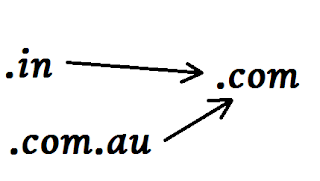
Demo
How to implement this code for all blogger users :-
1. Go to Template > Edit HTML (For old interface Go to Design > Edit HTML)
2. Copy below code and paste before </head> tag in your blogger template coding.
<script src='http://thedigitalvilla.googlecode.com/files/getridgoogle.js' type='text/javascript'/>
3. Now save your template.
4. Refresh your Homepage
5.Now you Are done with this coding.
Pros:
-No Alexa Ranking Loss !!
-Uniform URL everywhere
Demo
Author Bio
This is a Guest Post by Aditya Yadav who is blogger at DigitalVilla sharing his expertise for the last two years. He is currently pursing MCA from Jaipur. You can also find him on Facebook
Description: Redirect .in and .com.au to .com domain !!
Rating: 4.5
Reviewer: Unknown -
ItemReviewed: Redirect .in and .com.au to .com domain !!
This is a Guest Post by Aditya Yadav who is blogger at DigitalVilla sharing his expertise for the last two years. He is currently pursing MCA from Jaipur. You can also find him on Facebook


Posting Komentar